Share this content:
Shop on Amazon for Insta360 Link 2 Pro and 2C Pro
Shop on Amazon for Insta360 Link 2 Pro and 2C Pro
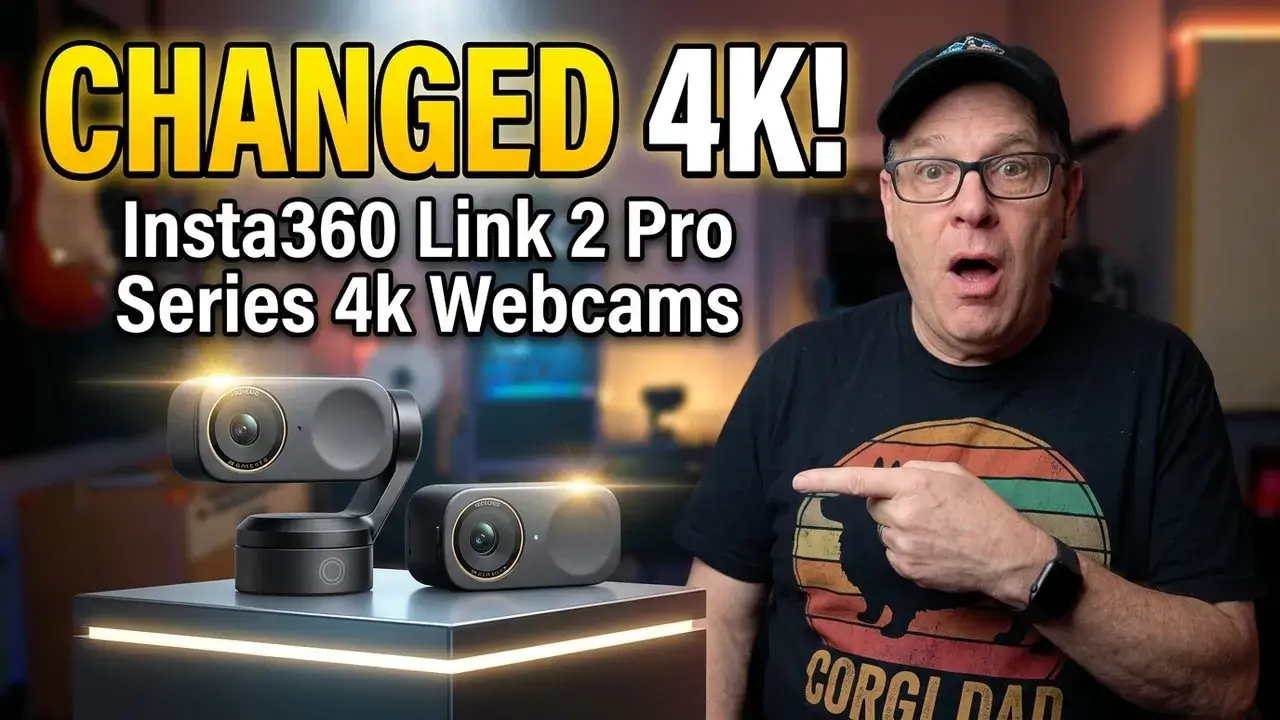
Insta360 Link 2 Pro Review: The Best 4K Webcam for Streaming &
Working From Home in 2026?
Tested by a real dad. Two weeks, dozens of Zoom calls, streaming sessions, and late night recordings.
Your laptop webcam is lying to you. It makes you look soft, flat, and forgettable on every
video call, stream, and recording — and most of us have just accepted it.
After two weeks ofdaily testing, I can tell you the Insta360 Link 2 Pro is the most capable webcam I’ve put in
front of my face. But it’s not for everyone. Here’s the honest breakdown.
What Makes the Insta360 Link 2 Pro Different From a Regular Webcam
Most webcams sit there and record whatever’s in front of them. The Link 2 Pro moves.
That’s the headline feature — an AI-powered gimbal that physically tracks you as you move
around the room.
I demoed the AI tracking live in the video at 15:11, and it’s one of those things you have to
see to believe. Walk to your whiteboard, grab a coffee, pace while you talk — the camera
follows you smoothly the entire time. No more drifting out of frame mid-thought on a call.
Beyond tracking, the Link 2 Pro offers five shooting modes you actually switch between
depending on the situation:
- Desk mode — overhead angle, great for showing products or documents
- Whiteboard mode — wide angle locked on your board
- Portrait mode — tighter crop for video calls and podcasts
- DeskView — looks straight down at your desk surface
- Standard — traditional webcam angle
This flexibility alone makes it stand out from every fixed webcam on the market.
4K Video Quality — Real-World Results
The side-by-side comparison in the video at 3:16 tells the whole story. The difference
between 4K from the Link 2 Pro and a typical laptop webcam is embarrassing. Skin tones
are accurate, detail is crisp, and the image has depth that cheaper webcams just don’t
produce.
What impressed me most wasn’t the spec sheet — it was consistency. Laptop webcams
shift in quality depending on lighting conditions. The Link 2 Pro held its look whether I was
sitting by a window in the afternoon or in my office at 10pm.
For YouTube thumbnails, streaming, and Zoom calls where you want to look like you
actually invested in your setup, this is genuinely 4K worth having.
Low-Light Performance: Tested in Real Conditions
I didn’t test this in a bright studio with three softboxes. I tested it in my actual home office,
with one lamp, at night. Results at 4:36 in the video.
The f/1.8 aperture combined with AI-enhanced low-light mode keeps you visible
and sharp in conditions where most webcams turn you into a pixelated ghost. It’s not magic
— you still look better with decent lighting — but the floor is much higher than anything in
this price range.
AI Tracking — Does It Actually Work?
Yes. And it works better than I expected.
The face-tracking mode is smooth and natural — it doesn’t jerk or overcorrect when you
shift position. The body-tracking mode gives you a wider shot that follows your full upper
body, which is great for standing desk setups or if you tend to gesture while you talk.
The only caveat: tracking works best when you’re the only person in the room. In a bright
window behind you, or with other people moving in the background, it occasionally loses
lock for a second before reacquiring. For 95% of use cases, this is a non-issue.
Demo is at 15:11 in the full review video — it’s the moment that made my wife say “wait, is
the camera actually moving?”
Audio Modes Compared Head-to-Head
This surprised me. I expected the microphone to be an afterthought — the camera is the
selling point, after all. But Insta360 included multiple audio modes that I compared directly
in the video at 19:00: - Standard — clean pickup for normal room acoustics
- Meeting mode — reduces background noise, prioritizes your voice
- Music mode — wider frequency capture for instruments or room audio
For work calls and streaming, Meeting mode is the one you want. It handled keyboard
noise, HVAC hum, and occasional background sounds noticeably better than a standard
USB mic at the same price point. Not a replacement for a dedicated condenser mic, but
more than acceptable for daily use.
Insta360 Link 2 Pro vs. Link 2 (Non-Pro) — Which Should You Buy?
This is the question I get most. The short answer: the non-Pro Link 2 covers about 80% of
what the Pro does, for less money.
Here’s where the Pro earns the price difference: - Better low-light performance — the Pro’s sensor and aperture give you a noticeably
cleaner image in dim conditions - More precise AI tracking — the Pro gimbal is smoother and faster
- Higher bitrate output — matters if you’re recording locally for editing, less so for live
streaming
If you’re a dad working from home who just wants to look better on Zoom, the Link 2 is
probably your pick. If you stream regularly, record YouTube content, or work in variable
lighting conditions, the Link 2 Pro is worth the extra spend.
🔗 Insta360 Link 2 Pro → https://amzn.to/3NJzDAk
🔗 Link 2C Pro: https://amzn.to/4bigNt7
Who Should Buy the Insta360 Link 2 Pro?
Buy it if you are: – A dad working from home who’s tired of looking terrible on video calls –
A streamer who wants AI tracking without spending $500+ on a PTZ camera – A content
creator who needs one webcam that handles YouTube, Zoom, and podcast recording –
Someone who frequently moves around while presenting or teaching
Skip it if you are: – On a tight budget — the non-Pro Link 2 is the better value play –
Looking for a true plug-and-play experience with zero setup — the companion app has a
learning curve – A professional broadcaster — at that level, a mirrorless camera with
capture card will still outperform this
Final Verdict — Dad-Approved?
Yes. Strongly.
The Insta360 Link 2 Pro is the best webcam I’ve used in this price range — not because of
any single feature, but because it delivers across the board: 4K quality, genuinely useful AI
tracking, solid low-light performance, and audio that doesn’t embarrass you. The gimbal
feels like a gimmick until you use it daily, and then it feels indispensable.
The learning curve is real, and the price is real. But if you’re serious about how you show
up on camera — for work, streaming, or content — this is the upgrade that actually makes
a visible difference.
Rating: 4.5 / 5
As an Amazon Associate I earn from qualifying purchases. This helps support the channel at
no extra cost to you.
Have you tried the Insta360 Link 2 Pro? Drop your experience in the comments below. And if
you found this review helpful, subscribe to Tech4Dads for dad-approved tech every week.
🔗 Insta360 Link 2 Pro → https://amzn.to/3NJzDAk
🔗 Link 2C Pro: https://amzn.to/4bigNt7
🔗 Insta360 Link 2 (non-Pro, save money) → Link 2: https://amzn.to/3PgpprC
Link 2C: https://amzn.to/4uDNOaO (Prices change — check current deals)
🔗 Links & Pricing (Includes free gifts): Link 2 Pro Series: https://bit.ly/47SwkNU
Link 2 Series: https://bit.ly/4blwaRG
📬 Dad-approved tech reviews every week — Subscribe so you don’t miss one: → https://www.youtube.com/@Tech4Dads
As an Amazon Associate I earn from qualifying purchases. This helps support the channel at no extra cost to you.
#BestWebcamForStreaming #Insta360Link2Pro #Insta360Link2 #WebcamForStreaming #Best4KWebcam #AIWebcam #WorkFromHome #StreamingSetup #Tech4Dads #DadApprovedTech #WebcamReview #Insta360Review
About the Author